.png?width=250&height=79&name=foundryzcashpool_logo_inverse%20(2).png)
Using the Trust Center: Viewing and filtering the Audit Report
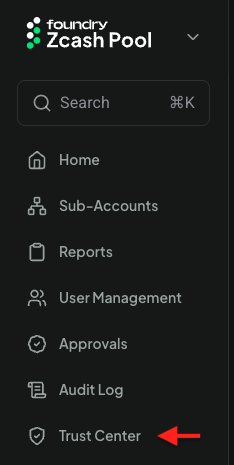
- The Trust Center can be accessed via the side navigation menu's Trust Center item
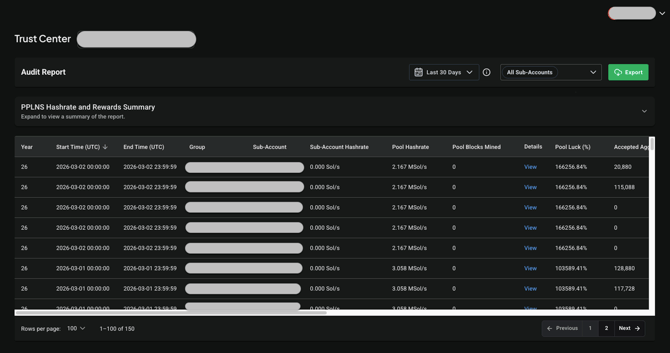
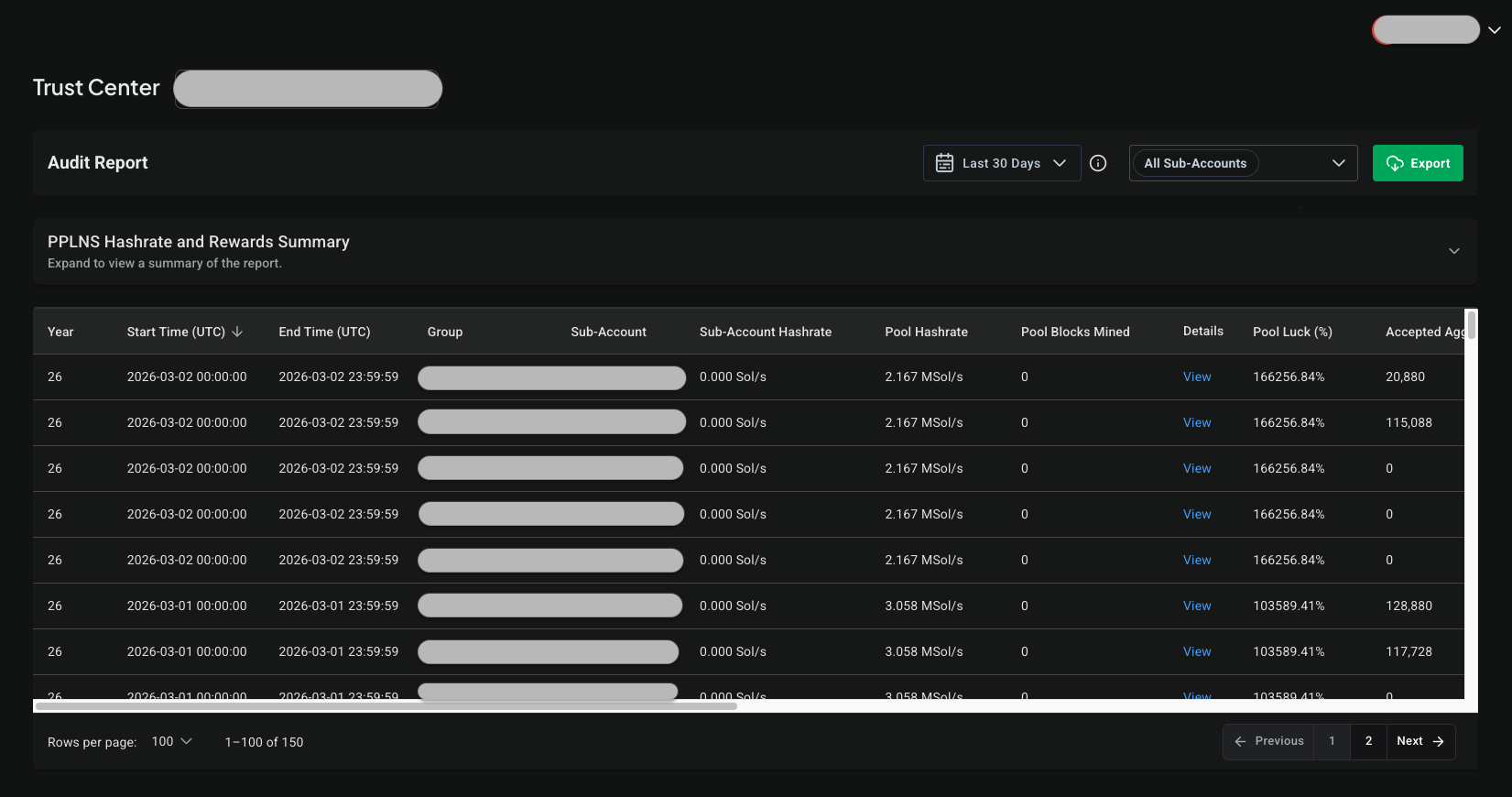
- There are three main elements in the Audit Report: the header row, the PPLNS Hashrate and Rewards Summary, and the main Audit Report table itself:
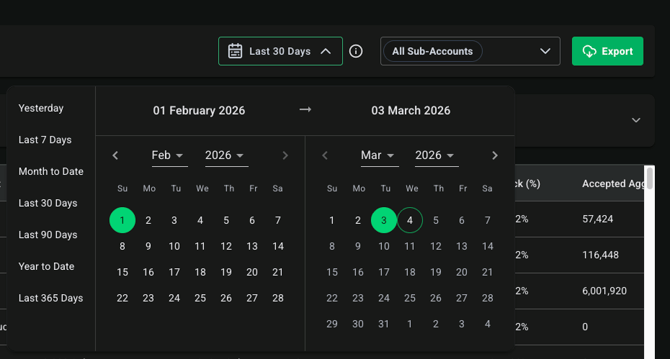
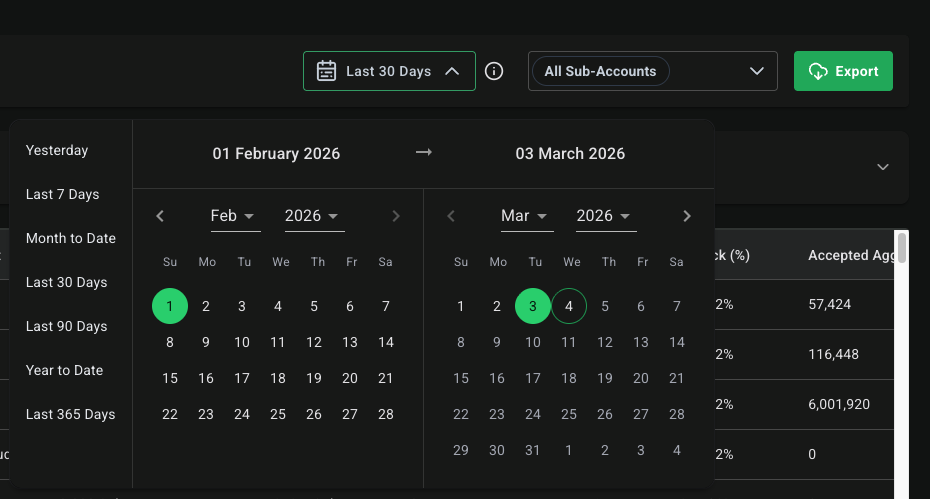
- The header row has a date range picker that allows you to filter data in both the PPLNS Hashrate and Rewards Summary and main Audit Report by the selected date range:
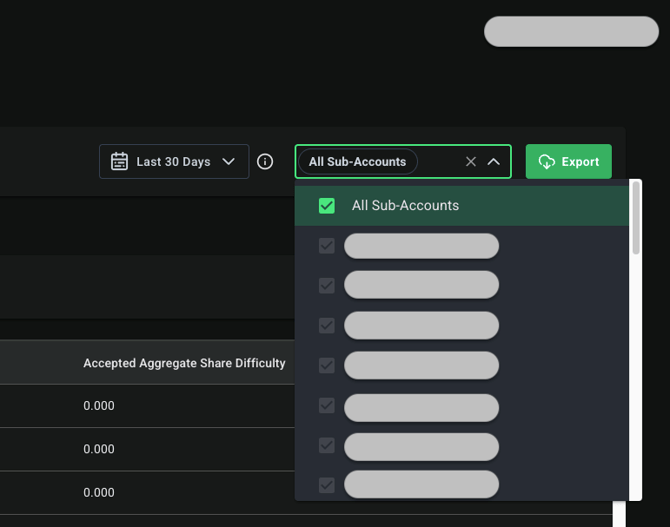
- There is also a dropdown in the header row which allows you filter the Summary and main Audit Report table by all the Sub-Accounts in your group(s) or a subset of those Sub-Accounts:
Using the Trust Center: Exporting Audit Report data
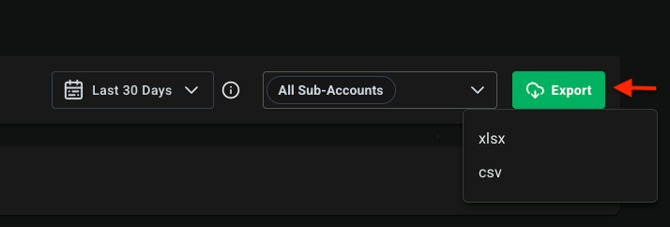
- To export data from the Audit Report tab, click on the Export menu button at the top-right part of the view. There is two menu options: XLSX and CSV. NOTE: The CSV export option downloads a Zip file which contains CSV files for the Audit Report's PPLNS Hashrate and Rewards Summary statistics, the Summary's Wallets list, and Audit Report table's data:
Using the Trust Center: PPLNS Hashrate and Rewards Summary
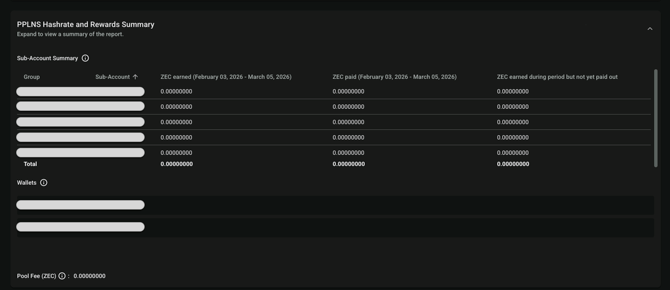
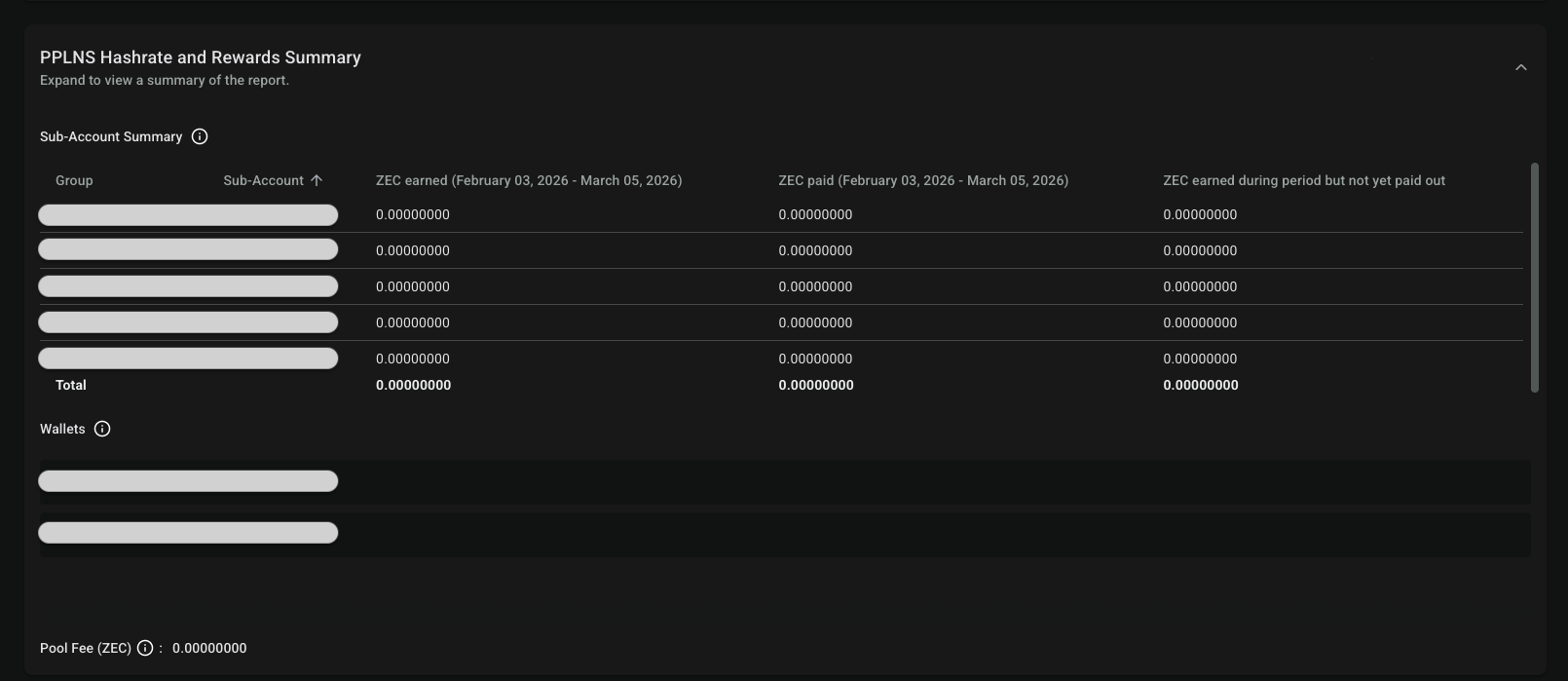
- The first element in the PPLNS Hashrate and Rewards Summary is a summary of sub-account financial statistics: ZEC earned, ZEC paid, and the current balance for the selected sub-accounts during the selected date range (ZEC Earned during period but not yet paid out). There's also a "Total" row with aggregated totals for all the selected sub-accounts.
- Next, there's a list of all the ZEC wallet addresses for the selected sub-accounts
- Finally, we display the Pool Fee Amount earned across the selected date range, aggregated using the selected sub-accounts' fees:
Using the Trust Center: Audit Report Table
- The main Audit Report table contains daily statistics for the following Sub-Account data items: Year, Start Time (UTC), End Time (UTC), Group, Sub-Account, Sub-Account Hashrate, Pool Hashrate, Pool Blocks Mined, Pool Luck, Accepted Aggregate Share Difficulty, Pool Aggregate Share Difficulty, Total Pool Rewards, Sub-Account Share of Pool (%), Gross Earnings, Pool Fee %, Pool Fee Amount, and Net Total Amount
- NOTE: The Pool Luck % is calculated using the following formula: (# of Found Blocks / # of Expected Blocks) x 100 and the expected blocks amount is based on the Zcash network hashrate and the pool's hashrate.
Using the Trust Center: Pool Block Details column
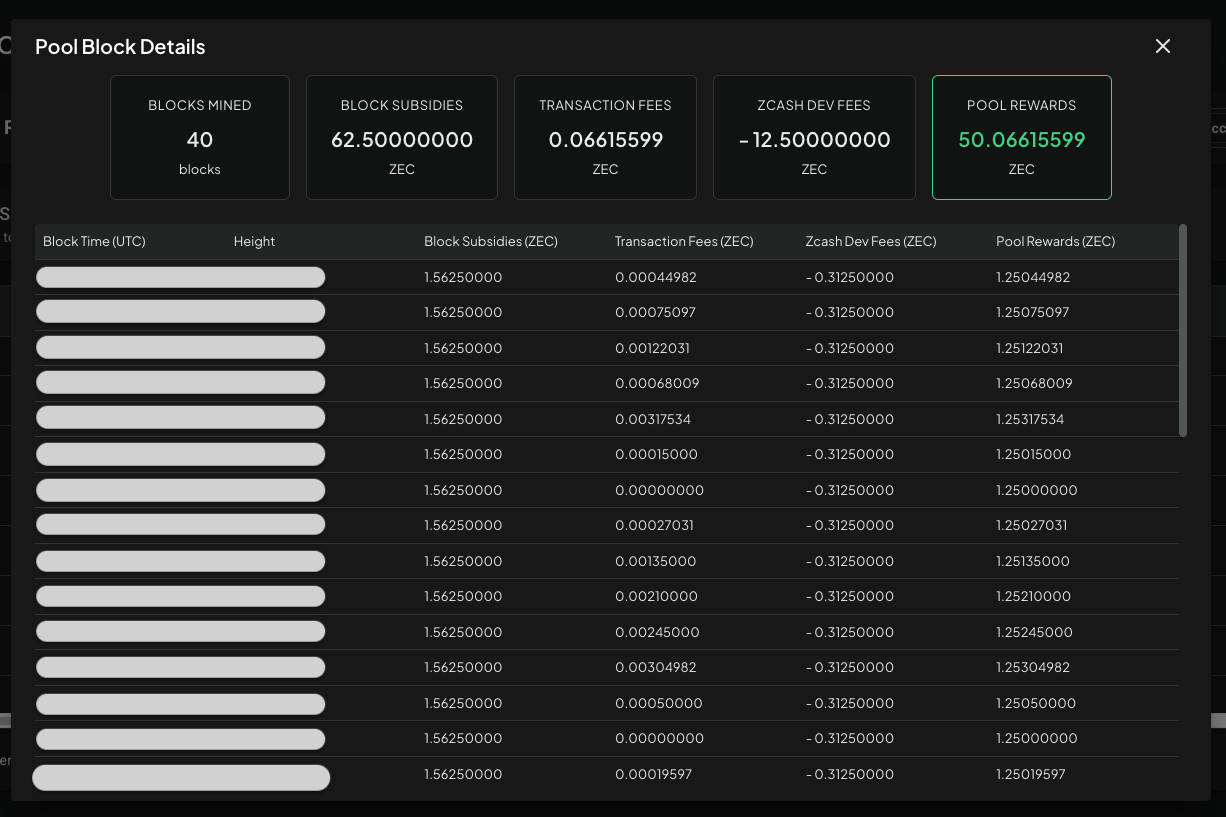
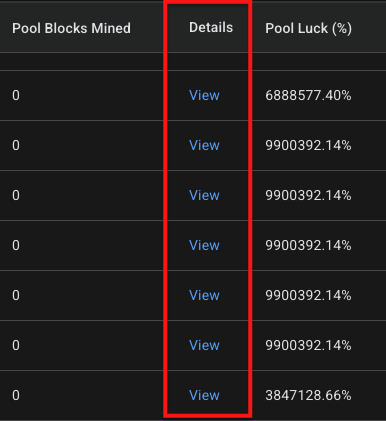
- The Details column contains a "View" button which, when clicked, opens a dialog where you can view information on all the blocks mined by all sub-accounts (under PPLNS) during the selected date:
- This information includes: Blocks Mined, Block Subsidies, Transaction Fees, Zcash Developer Fees, and Pool Rewards. NOTE: The Pool Rewards value is calculated by adding the Block Subsidies, Transaction Fees, and Zcash Developer Fees values together.
Ex.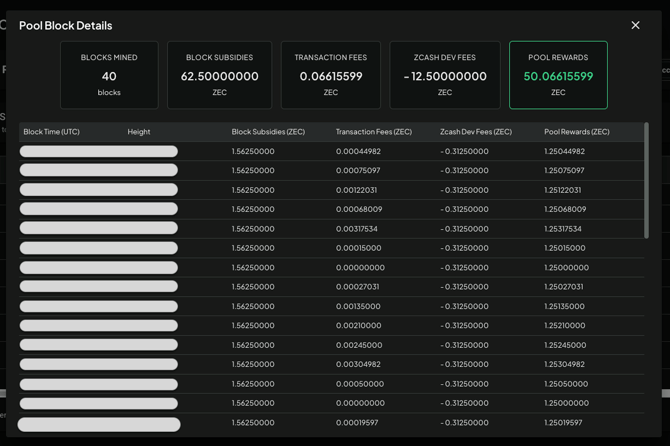
- NOTE: The Zcash Dev Fees value is the amount allocated for the Zcash developer fund by Zcash network