.png?width=250&height=79&name=foundryzcashpool_logo_inverse%20(2).png)
The "Bulk Delete" feature allows you to instruct the server to delete all workers that satisfy a desired requirement - in this case, inactive time.
Steps:
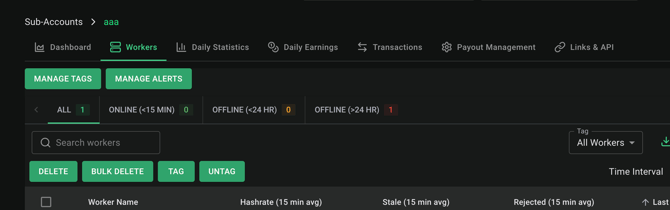
- Please navigate to the "Workers" tab of the sub-account you wish to delete workers from:
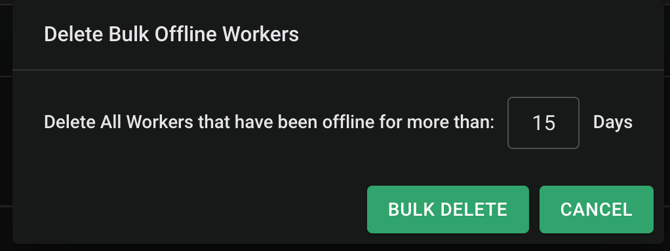
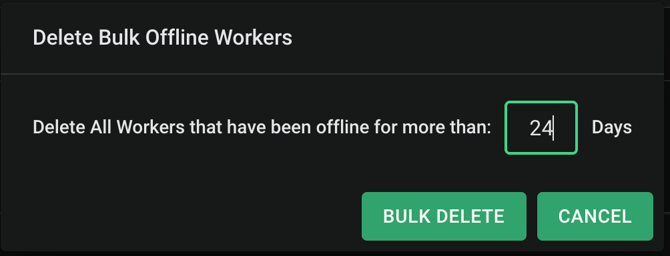
- Select the desired timeframe:
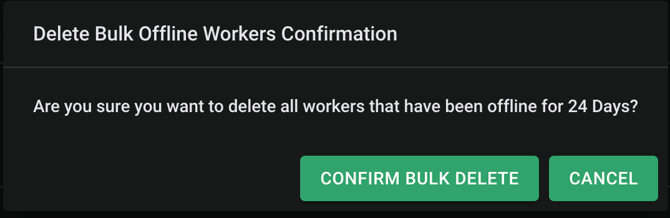
- A dialog box will ask for confirmation of your desired timeframe:
- When confirmed, a successful bulk delete dialog box will appear and your workers will be deleted from the sub-account:

You may follow the Foundry Zcash Pool API documentation guide to delete workers